Notion Is Overkill for Quick Notes: 6 Lightweight Alternatives With No Signup
You have a thought, a phone number, or three lines from a call. You open Notion, wait for the workspace, pick a page, and decide where the thing belongs. By then the thought has gone somewhere else.
Notion is a very good workspace. It is a poor scratchpad. If all you want is somewhere to type right now, you need a lighter tool, and ideally one that doesn't ask for an email address first.
This guide covers six Notion alternatives for quick notes that work without an account. I'll say what each one is good at and where it falls short, including txtnode, the one I built myself.
Why Notion feels like overkill for quick notes
Notion is built from blocks, pages and databases. That is what makes it good for wikis, project trackers and team documentation, and it is also what gets in the way of a ten-second note.
- Every note needs a home. A quick note in Notion still lives on a page, inside a workspace, in a sidebar you have to keep tidy.
- There is always something to set up. Templates, properties, views and icons are useful for a system and a distraction for a shopping list.
- It is a lot of product for a little text. You are loading a full workspace to write a sentence. When I opened Notion's app without an account, the browser downloaded about 5.8 MB over roughly 260 requests, and all of that was for a login page.
None of this is about price. Notion's free plan is generous for one person: unlimited blocks, with file uploads up to 5 MB each and 7 days of page history. Paid plans start at $10 per member a month, and the free plan includes only a trial of Notion AI.
So the question isn't whether Notion is worth it. It's whether you need a workspace for the note you are about to write.
What to look for in a quick-notes tool
- Signup. Can you start typing straight away, or is there an account step?
- Speed. How long from opening it to the first word?
- Where the note lives. On a server, in your browser, or in a file on your device? This decides whether you can open it on another device, and whether you can lose it.
- Privacy. Is the note open to anyone with the link, hidden, or encrypted?
- Sharing. Can you send it to someone, and can they edit it with you?
- Formatting. Plain text, Markdown, or something richer?
No tool wins on all six. The right one depends on what the note is for.
The 6 alternatives
1. txtnode
Best for: a quick note you can open anywhere and share by saying its address.
On txtnode, the URL is the note. Go to txtnode.com/notes/anything, start typing, and it saves as you type. There is no New Note button and no account step.
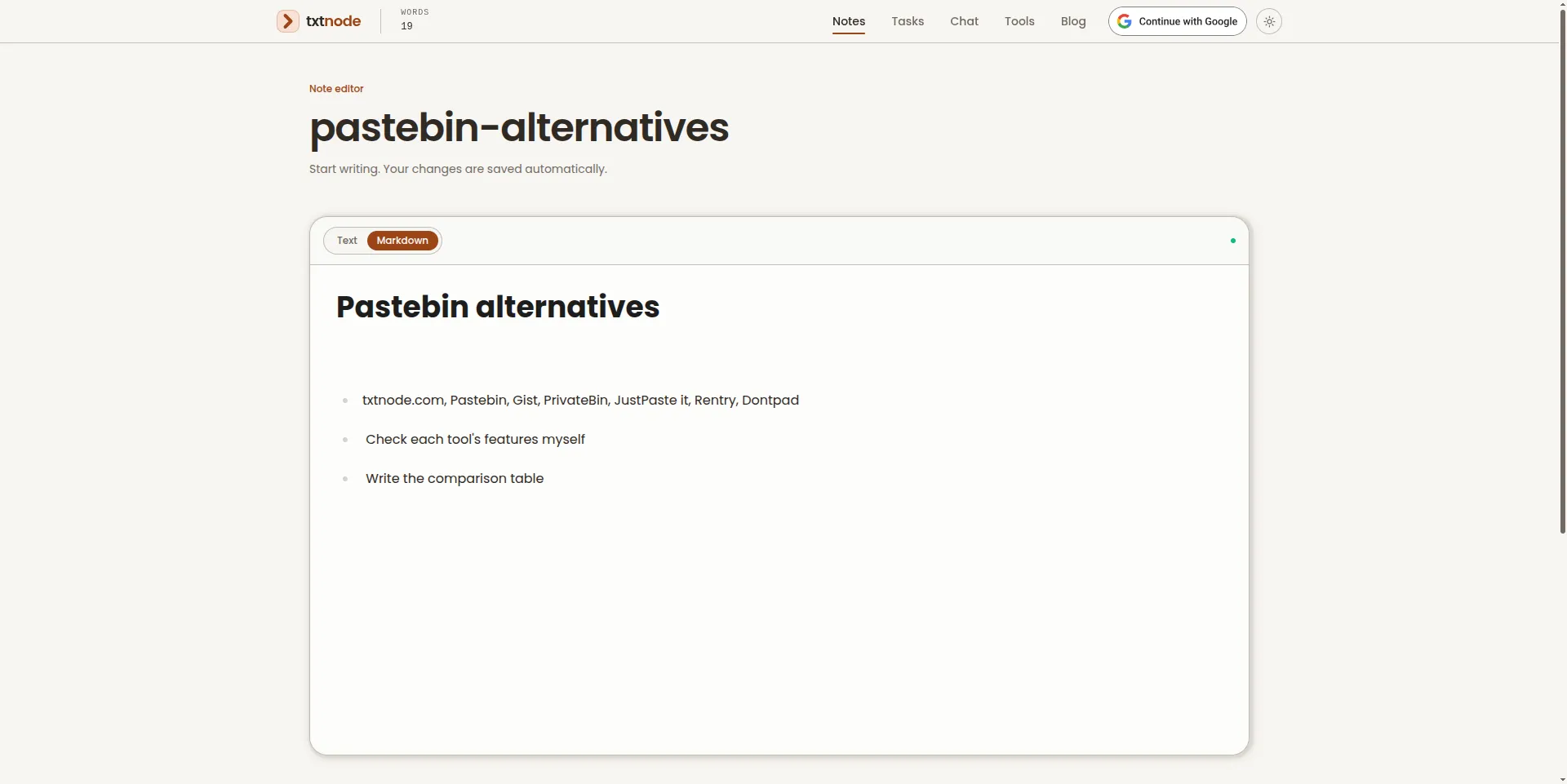
Open the same address on your phone and the note is there. Send the address to someone and you are both editing the same page, with changes showing up live. The editor has Text and Markdown modes, and there is a task list that works the same way. I wrote more about the idea in What is txtnode?.
When a note stops being throwaway, signing in with Google gives you 10 MB of private storage with folders, and you can share a note with one specific person as a viewer or an editor.
Watch out for: a public note can be read and edited by anyone who knows or guesses its address. Pick an address that is hard to guess, and keep passwords and private details out of it.
2. Obsidian
Best for: notes you intend to keep for years.
Obsidian is the closest thing here to a real Notion replacement for personal notes. It is an app you install, and its pricing page says two things that matter: "Free without limits" and "No sign-up required". Your notes are Markdown files stored on your own device, so they stay readable with or without Obsidian.
Watch out for: it isn't instant in the way a web page is. You install it and choose a folder first. Getting notes onto a second device is your job, either with your own file sync or with Obsidian Sync, which costs $4 a month billed annually. And it is easy to spend an evening on plugins, which is the Notion problem in a different shape.
3. Protected Text
Best for: a note that has to stay private.
Protected Text works like an address-based notepad with a lock on it. Go to protectedtext.com/anything, set a password, and the text is encrypted in your browser before it is stored. The site says the password is never sent to its server, there is no registration, and there are no ads. A page holds roughly 750,000 characters, and pages are not deleted automatically.
Watch out for: there is no password recovery. The site only holds encrypted text, so a forgotten password means the note is gone. It is plain text, built for one person, not for editing together.
4. Shrib
Best for: the plainest possible scratchpad.
Shrib describes its free version as "Free and no login". You get a blank page that saves to the cloud automatically, at an address like shrib.com/notename, and you can use Markdown formatting if you want it.
Watch out for: the free version carries ads, and removing them is part of the paid PRO plan, which does need an account. The site doesn't state its privacy or expiry rules up front, so check them before you rely on it for anything you need to keep.
5. CryptPad
Best for: working on an encrypted document with other people.
CryptPad calls itself a "collaboration suite, encrypted and open-source". Without an account, guests can use all of its applications and share and collaborate on documents. It is the heaviest tool on this list, and the only one that covers encryption and live collaboration together.
Watch out for: guest documents are removed after three months of inactivity, counted per document, and guests can't store files such as images or PDFs. If you want to keep something, you need a free account. It also takes longer to load than a plain notepad.
6. StackEdit
Best for: writing Markdown with a live preview.
StackEdit is a Markdown editor that runs in the browser, with the text on one side and the formatted result on the other. It keeps working offline, and you can optionally sync files with Google Drive, Dropbox or GitHub.
Watch out for: by default your documents live in that one browser's storage. They don't follow you to another device, and clearing your browser data can delete them. The project's code was last updated in May 2023, so treat it as finished software, not a growing one.
One that needs an account: Simplenote
Simplenote comes up in almost every "simple notes" list, and it is a good app: free, fast, with Markdown support and apps for every platform. It doesn't belong in a no-signup list, though. Its own help page says: "there is not a way to use Simplenote without creating an account."
If you don't mind the account, it is the easiest way to get plain notes synced across your devices.
How fast is each one?
A quick note is only quick if the page is. I opened each web tool in a clean Chrome window with an empty cache, three times, and recorded how long it took before there was something to type in. The figures are the middle result of the three.
| Tool | Time until you can type | Page weight | Login page first? |
|---|---|---|---|
| txtnode | 0.7 s | 758 KB | No |
| Shrib | 0.8 s | 412 KB | No |
| StackEdit | 3.3 s | 1.9 MB | No |
| Simplenote | Not until you log in | 363 KB | Yes |
| Notion | Not until you log in | 5.8 MB | Yes |
A few things to keep in mind when reading this:
- It is one computer on one connection, tested on 12 October 2026. Your numbers will differ, but the order should hold.
- For Simplenote and Notion the weight is the login page, because that is as far as you get without an account. I didn't measure either app once signed in.
- Protected Text showed an automated-browser check before its page, and CryptPad's editor couldn't be timed by my script, so neither is in the table. Both opened without asking for a login.
- Obsidian is an installed app, so there is no page to time.
- txtnode is my own tool, so check it yourself: open an address and count.
Comparison table
Notion is included for reference.
| Tool | Account needed? | Where notes live | Privacy | Edit together live? | Best for |
|---|---|---|---|---|---|
| txtnode | No | Server, at an address you choose | Open to anyone with the address; private notes after sign-in | Yes | Quick shared notes |
| Obsidian | No | Files on your device | Stays on your device | No | Long-term notes |
| Protected Text | No | Server, encrypted in your browser | Password-encrypted | No | Private notes |
| Shrib | No | Server, at an address you choose | Check the site | Check the site | Plain scratchpad |
| CryptPad | No (guest mode) | Server, encrypted | Encrypted | Yes | Encrypted collaboration |
| StackEdit | No | Your browser's storage | Stays in your browser | No | Markdown writing |
| Simplenote | Yes (login page when tested) | Server, synced to your devices | Private to your account | Check the site | Synced plain notes |
| Notion | Yes (login page when tested) | Server, in a workspace | Private to your workspace | Yes | Wikis and team workspaces |
Which one should you use?
- Need to write something down this second? Open a txtnode note or a Shrib page. Both are a URL and a cursor.
- Want someone else to see it or edit it with you? Use txtnode. Tell them the address.
- Is it sensitive? Use Protected Text, and don't lose the password.
- Working on something private with a group? Use CryptPad.
- Writing a longer piece in Markdown? Use StackEdit, and export it when you're done.
- Building a set of notes to keep for years? Use Obsidian. It is the only one here meant to be a permanent home.
If you can't decide, ask how long the note needs to live. Minutes or days: use a notepad at a URL. Years: use Obsidian.
When you should stay with Notion
A lighter tool is the wrong answer if what you need is a workspace. Stay with Notion if you:
- keep information in databases, with properties, filters and several views
- run a team wiki or shared documentation
- track projects and want notes, tasks and documents linked together
Plenty of people use both: Notion for the system, and a plain notepad for whatever hasn't found its place yet. If your quick notes are mostly sharing snippets of text, the Pastebin alternatives comparison covers that side.
FAQ
What is the simplest Notion alternative for note-taking? A notepad that lives at a URL. With txtnode or Shrib you type an address and start writing, with nothing to install or set up.
Is there a Notion alternative with no account? Yes. txtnode, Obsidian, Protected Text, Shrib, CryptPad and StackEdit can all be used without signing up. Simplenote is the common suggestion that does need an account, and Notion's app opens on a login page too.
What is a free alternative to Notion for personal use? Obsidian is the closest match for personal notes. It is free for personal use, needs no sign-up, and keeps your notes as Markdown files on your own device.
Which of these work offline? Obsidian, because your notes are files on your device, and StackEdit, which keeps working in the browser without a connection. The address-based notepads need a connection.
Is there a Notion alternative without AI? All six are plain editors first. Notion's free plan includes a trial of Notion AI. On txtnode, the only AI feature is optional: you can share a private note with your own AI agent through a link that expires, and nothing happens unless you create that link.
Are no-signup notepads safe? It depends where the note lives. A note at a public address is open to anyone who finds the address. For anything sensitive, use an encrypted tool such as Protected Text or CryptPad, or keep it on your own device with Obsidian.
Final thoughts
Notion isn't the problem. Using a workspace as a scratchpad is. Keep Notion for the things that need structure, and give your quick notes somewhere with no setup at all.
If you want to see what that feels like, open a note and type something. It takes about five seconds.
Prices, limits and load times were checked in October 2026 and can change.
Sources: Notion pricing, Obsidian pricing, Protected Text, Shrib, CryptPad user guide, StackEdit, StackEdit on GitHub, Simplenote help